The Day I Realized My PC Wasn’t Actually ‘Optimized’ While Playing Tekken 8 Online
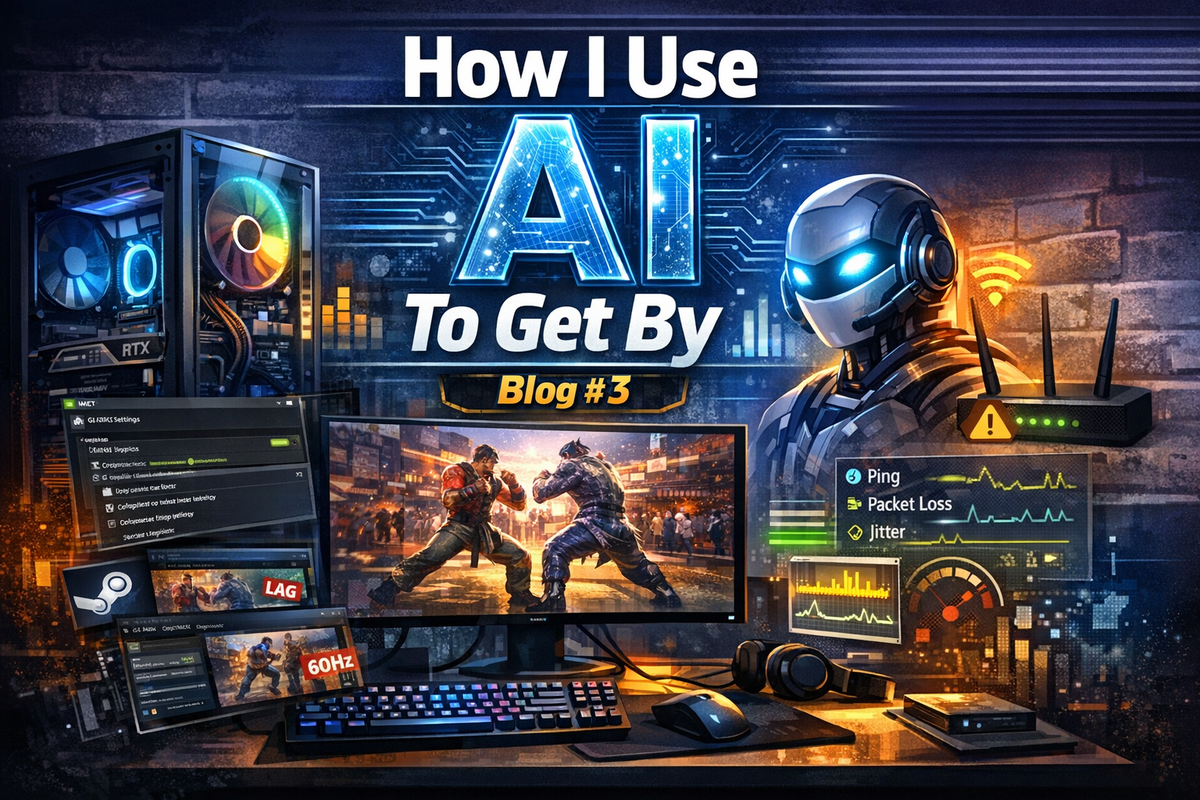
A week ago or so, I had just started to play some Tekken 8 via Steam.
I didn’t plan on asking AI for help that day.
I wasn’t trying to “optimize” anything.
I wasn’t even thinking about my PC at all.
I was just playing Tekken 8 online.
And the lag was bad. I finally got fed up with constantly seeing 4/5 bar connections when I know my PC is well equipped to run Tekken and all the other fighting games I play (Street Fighter, Guilty Gear Strive, COTW, and more). On top of that, I have fiber‑optic internet averaging around 920 Mbps download, which is supposed to be 1000 Mbps. And this wasn’t isolated to Tekken — Tekken was just the breaking point that day.
So I did what I’ve been becoming accustomed to doing when there’s a problem:
I tried to fix it myself using the power of my new best friend, AI.
I checked Steam.
I ran a few internet speed tests.
I checked Task Manager.
Everything looked “fine.”
But it wasn’t fine.
And that’s when I decided to ask AI for help — not because I expected a miracle, but because I wanted a BIG‑brain to help me troubleshoot. I knew in my heart (and in my wallet, after buying my PC and monitor last year) that I should not be experiencing this kind of consistent lag.
Turns out, that decision changed everything.
What AI Found: My PC Was Basically Running With the Parking Brake On
I thought my PC was already set up correctly.
I built it myself.
I picked the parts.
I installed the drivers.
I tuned the settings… well, kinda. Once the PC was operational, I went straight to gaming, only adjusting in‑game settings and assuming I wouldn’t need to do any additional tinkering for online play.
But the moment AI started asking questions, I realized something:
I had never actually optimized this machine for competitive online play.
Not even close.
Here’s what we discovered together:
1. My monitor wasn’t running at full speed
I owned a 165Hz monitor…
…but it was running at 60Hz.
And I had my monitor plugged into the port connected to the motherboard instead of the GPU.
That alone explained half my “lag.”
2. G‑SYNC wasn’t even turned on
I bought a G‑SYNC compatible monitor.
I bought an NVIDIA GPU.
I had the perfect combo.
But the feature was literally off.
3. My NVIDIA control panel was on default settings
No low‑latency mode.
No max‑performance power mode.
No frame‑pacing profile.
No per‑game optimizations.
I didn’t even think I had to make adjustments in the NVIDIA control panel. I assumed the graphics card would automatically optimize performance.
4. Steam overlays and background apps were causing micro‑stutters
Discord overlay.
Steam overlay.
GeForce Experience overlay.
All of them were quietly stealing milliseconds from my inputs.
5. My online lag wasn’t GPU lag — it was network jitter
This was the twist.
Once the PC was fixed, the remaining lag wasn’t performance at all — it was network instability.
AI helped me test jitter, packet loss, NAT type, and routing.
For the first time, I understood the difference between:
- Input delay
- Rollback
- Micro‑stutters
- Network jitter
- Server routing issues
I wasn’t just fixing the problem — I was learning the system.
The Moment Everything Clicked
After we fixed the monitor, the GPU profile, the overlays, the frame pacing, and the network tests…
I launched Tekken 8 again.
And it felt like a different game.
Smooth.
Responsive.
Stable.
Predictable.
For the first time, I felt like my PC was actually performing at the level I paid for.
And that’s when it hit me:
I didn’t reach out to AI because I wanted optimization.
I reached out because something felt wrong — and AI helped me uncover the truth.
This wasn’t a “tech support moment.”
It was a real moment — the kind where you realize you’ve been living with a problem so long you forgot it was a problem.
What I Learned
- Sometimes the issue isn’t the game — it’s the system behind the game.
- Sometimes you think you’re optimized, but you’re actually running at half power.
- And sometimes, the smartest thing you can do is ask for help.
AI didn’t just fix my PC.
It taught me how to understand it.
Now I know how to tune my monitor, my GPU, my Steam settings, and my network for every fighting game I play — Tekken, Street Fighter, Fatal Fury, all of it.
This wasn’t just a fix.
It was an upgrade to how I think.